
Integration for
Roofing Forms
naturalForms and JobNimbus have teamed up to eliminate redundant data entry for roofing professionals. Sync job details, photos, and signed contracts automatically between your mobile forms and your CRM.

Join Over 6,000 Roofing Contractors.
Keep data flowing between the office and the field — no double entry.
8
HOURS
Time
saved per person per week
43
PERCENT
Money
average increase in revenue
25
PERCENT
Collections
more payments collected
How it works
- Prefill customer details from the JobNimbus contact or job
- Upload completed and signed documents to job folders
- Sync job photos and sketches to job folders
- Use your EXACT custom form designs
What is the JobNimbus integration?
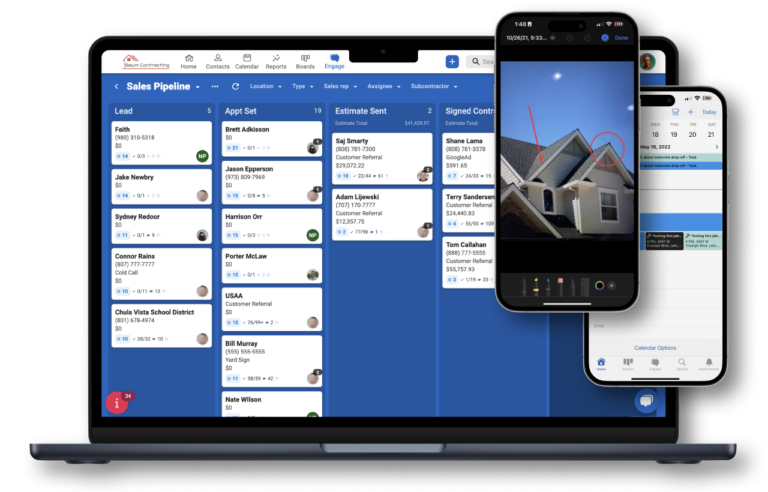
It's the naturalForms connector built into JobNimbus: start a form from any JobNimbus contact or job, and it opens with the customer details already filled in, then the completed, signed form attaches back to that record.
Most roofing offices already have every customer in JobNimbus. Then the crew opens a paper contract and writes the same name and address again, usually on the hood of the truck, usually in a hurry. The integration skips that step: the paperwork starts from the record you already have, and the signed copy goes back where the office will look for it.
From the JobNimbus mobile app, open the contact or job, tap the plus icon, and choose naturalForms. Pick the form, and the customer's name, phone, company, and address are already in it. The crew fills in the rest on site, gets the signature, and the completed form attaches back to that contact or job as a file. With signal it goes back right away; in a dead zone it waits safely on the device until a quick sync once the crew is back in range.
The form that opens is your own. naturalForms works from the PDF your company already uses, whether that's an inspection, an estimate, or a contract, so the document that lands in JobNimbus looks like the one your office already knows. See how your existing PDF becomes a fillable form.
Setup lives in JobNimbus. Go to Settings, open Features, and turn on naturalForms under 3rd Party Features. A naturalForms tab appears in Settings, where you connect your naturalForms account and switch on the forms (JobNimbus calls them templates) your crew should see. For prefill, give the matching fields in the naturalForms designer the names JobNimbus expects. Each JobNimbus account connects to one naturalForms account. JobNimbus has a step-by-step setup guide.
JobNimbus integration questions.
-
Is there a JobNimbus connector for naturalForms?
- Yes. The naturalForms integration is built into JobNimbus. It starts naturalForms forms from a JobNimbus contact or job with the customer details already filled in, and attaches the completed, signed form back to that contact or job as a file.
-
How do I turn on the naturalForms integration in JobNimbus?
- In JobNimbus, go to Settings, open the Features tab, and under 3rd Party Features turn on naturalForms. Then open the new naturalForms tab in Settings to connect your naturalForms account and switch on the forms your crew should see.
-
Which JobNimbus details prefill into my forms?
- Contact details such as first and last name, phone numbers, company, and address. For each one to prefill, the matching field in your naturalForms form needs the name JobNimbus expects, which you set in the naturalForms designer.
-
Where do completed forms go?
- Back to JobNimbus, attached as a file on the contact or job the form was started from. With signal that happens as soon as the form is completed; without it, the form waits safely on the device until a quick sync once the crew is back in range.
-
Can I handle roofing contracts and insurance paperwork with JobNimbus and naturalForms?
- Yes. naturalForms handles the paperwork side: contracts, inspection reports, and insurance forms are filled out and signed on site from your own PDFs, with photos captured right on the form, and the completed document attaches to the contact or job in JobNimbus.
-
Can I connect more than one naturalForms account to JobNimbus?
- No. Each JobNimbus account connects to one naturalForms account.
Want to see it in action?
Our solution architects can walk you through the custom JobNimbus integration and how it fits your specific workflow.